See what your clients see
This is what your clients see on their phone.
Six screens, in the order a client meets them: what the roof is doing right now, what it has earned back, and what happens when something goes wrong. Your name on every one of them.
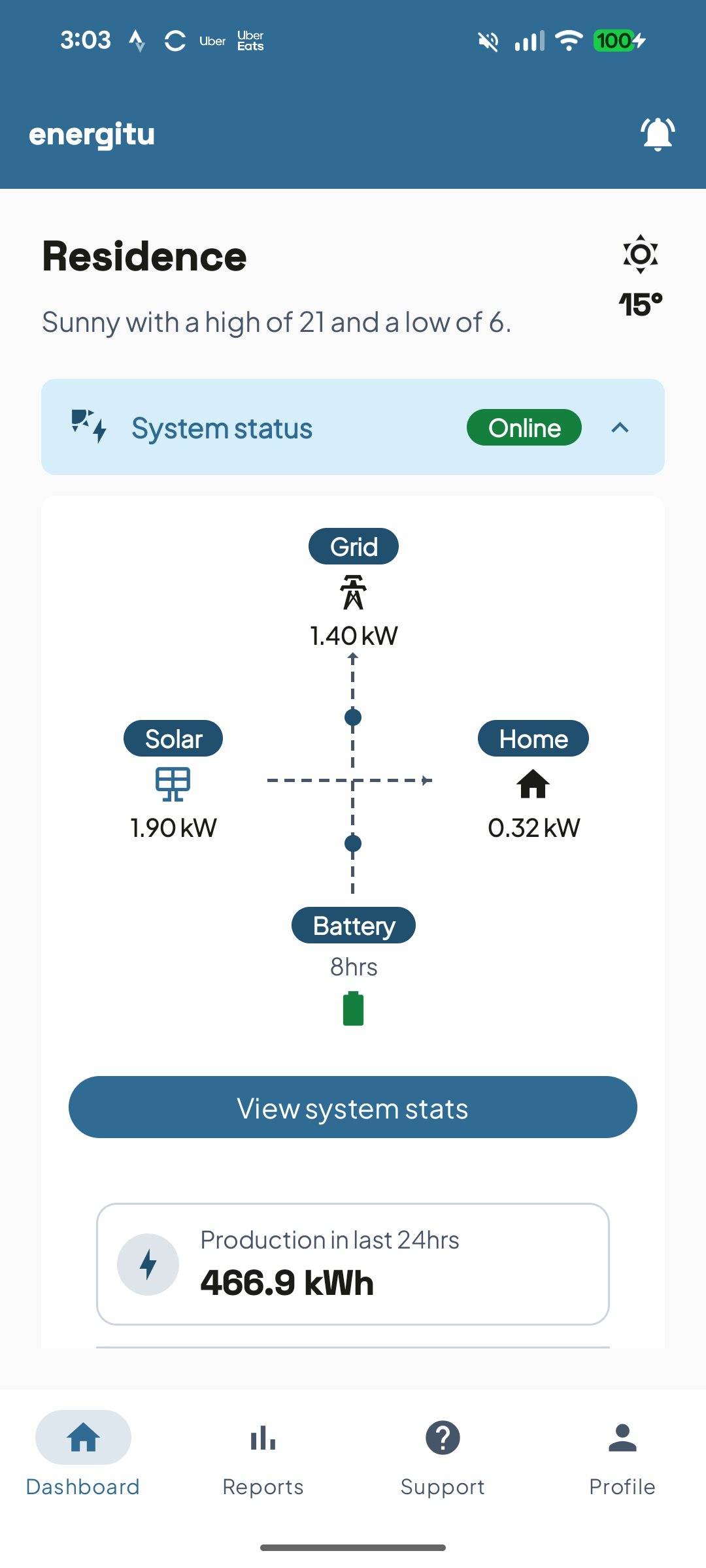
Live system status, at a glance
Production, household use, battery and grid, updating while they watch.
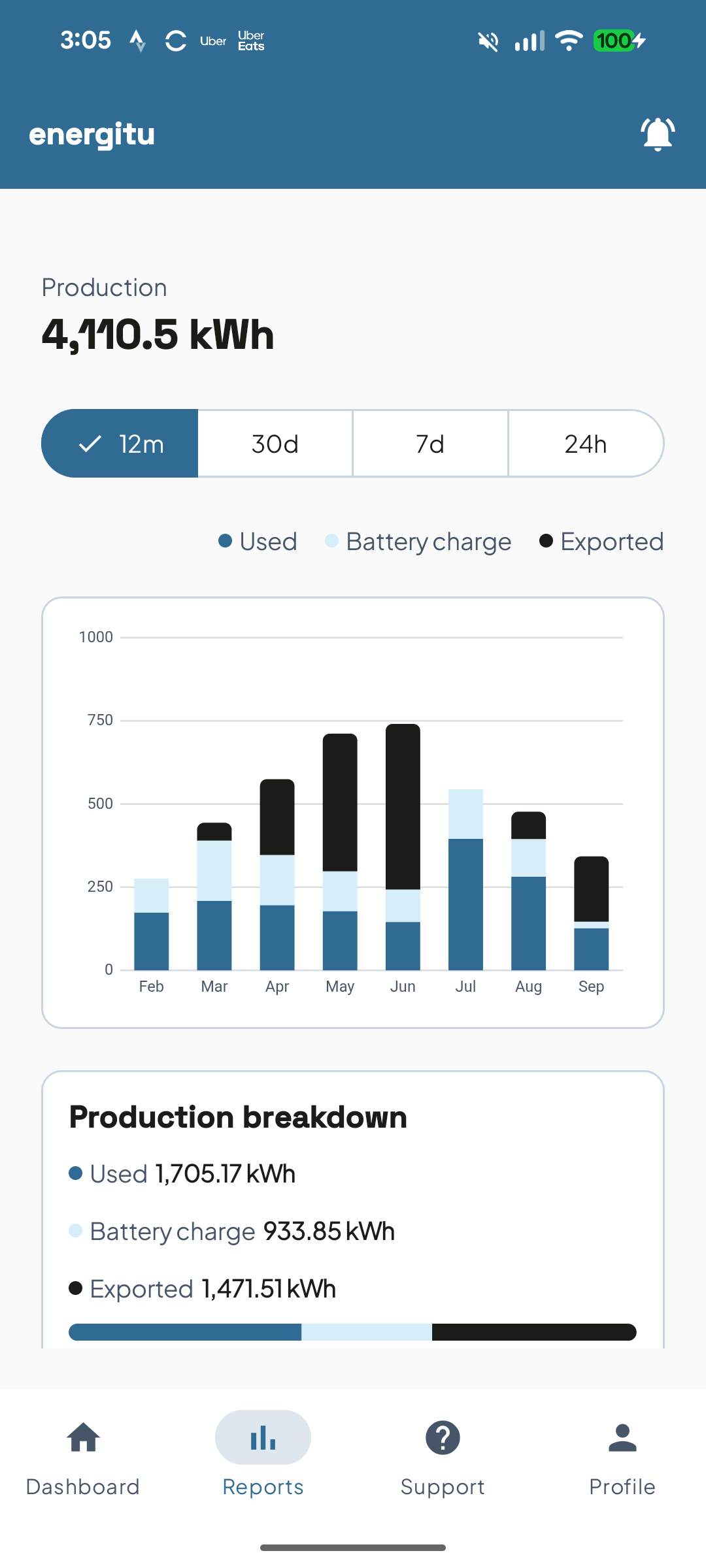
The whole system, month by month
Daily and monthly production, so a good month and a bad one are a glance apart.
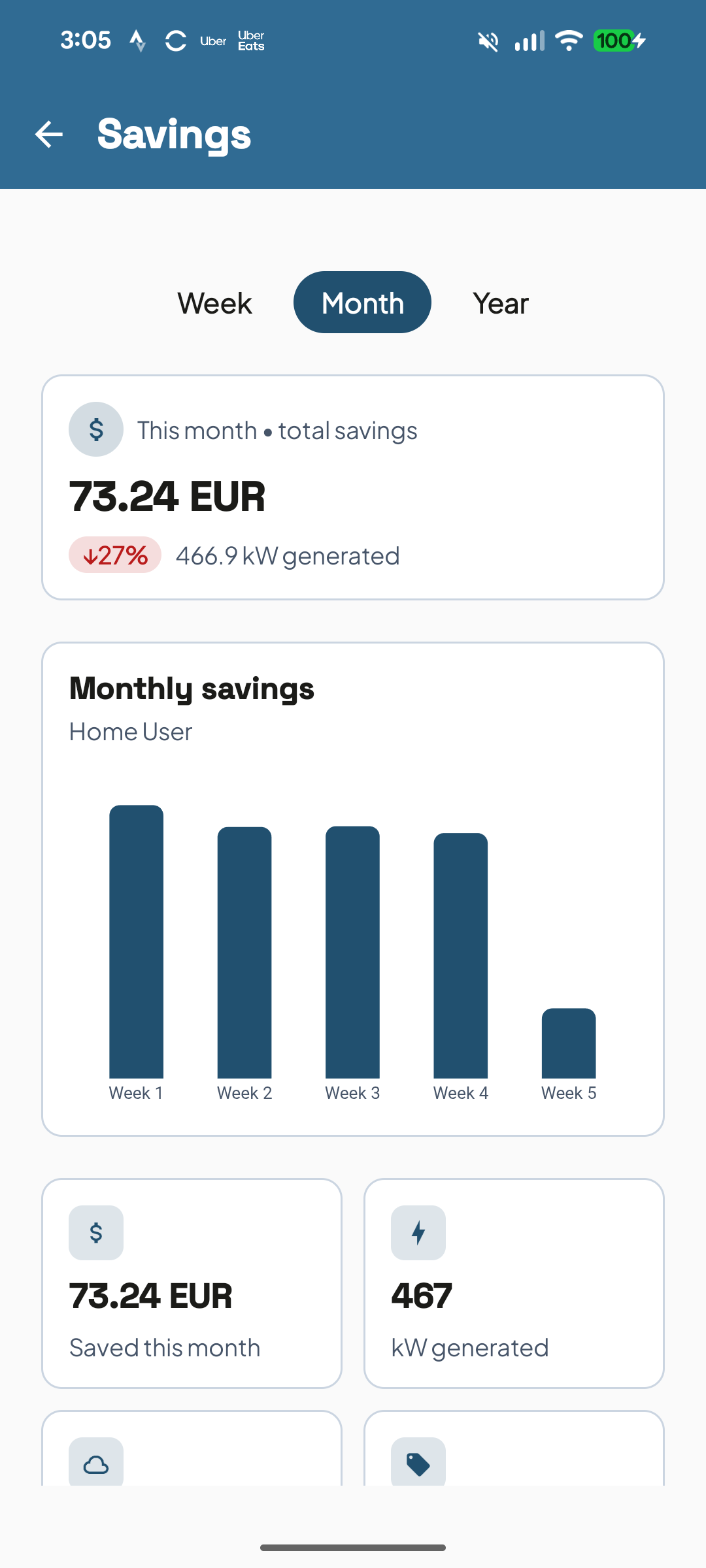
Savings they can watch add up
What the system earned back, in money, not kilowatt-hours.
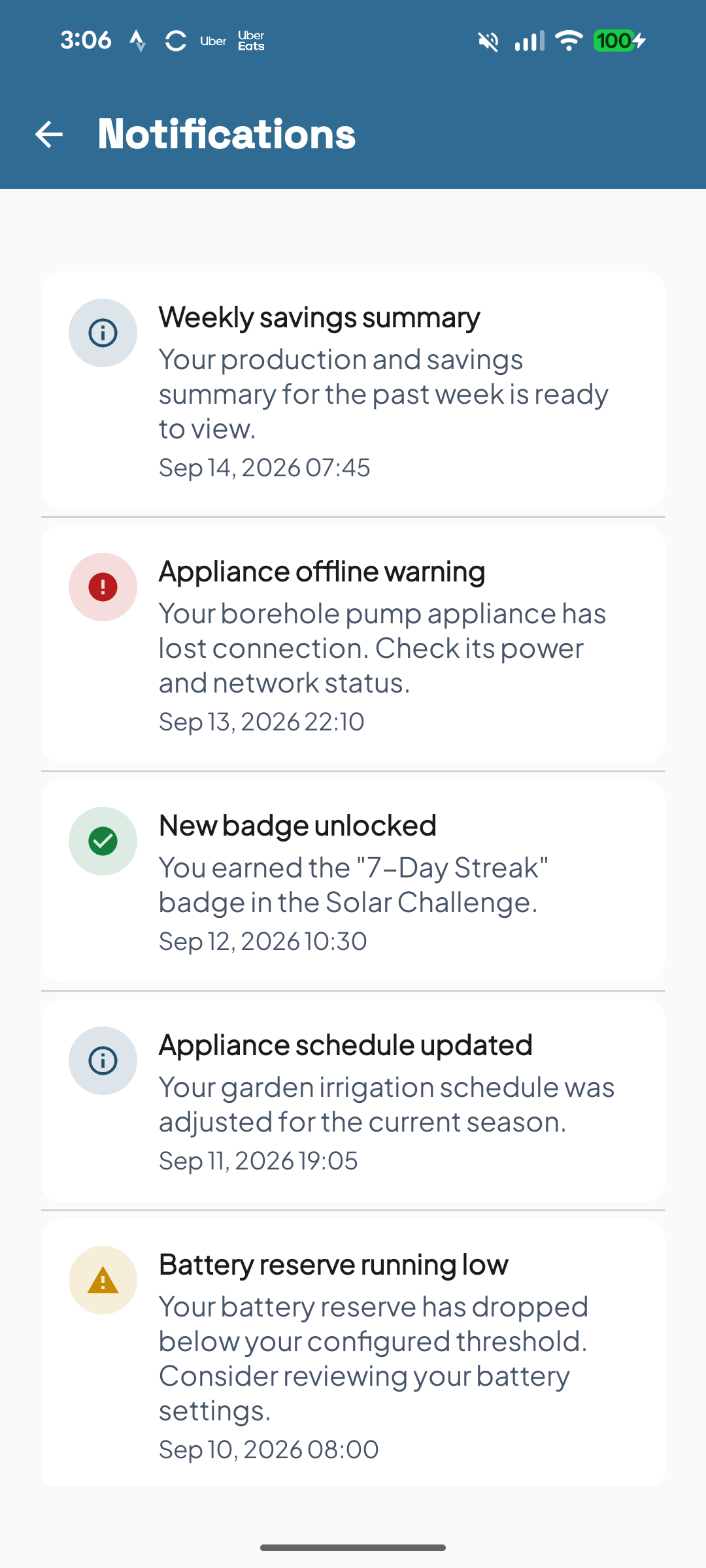
Told the moment something changes
Every alert, outage and update in one inbox, not buried in email.
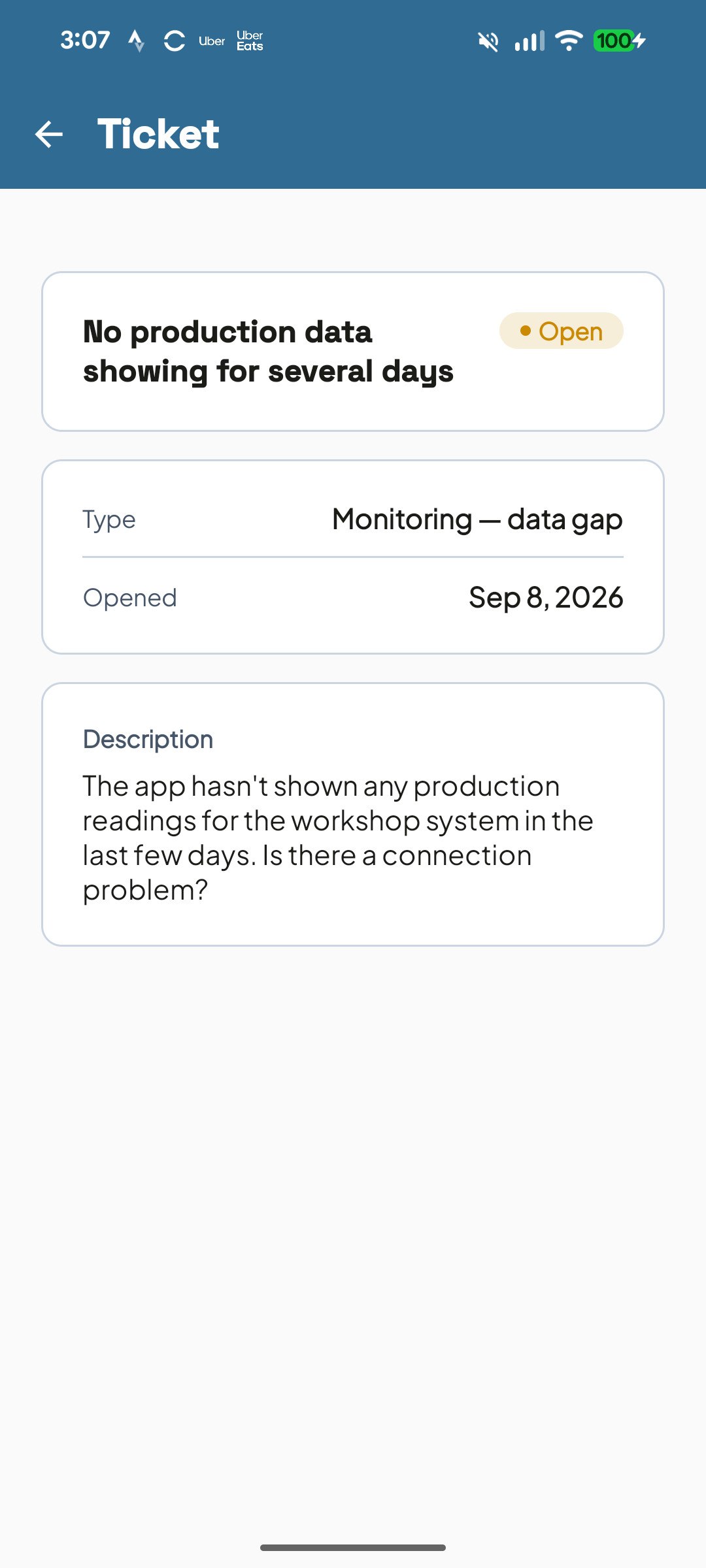
A fault becomes a ticket, not a phone call
Your client raises it in the app; you get the system, the symptom and the history.
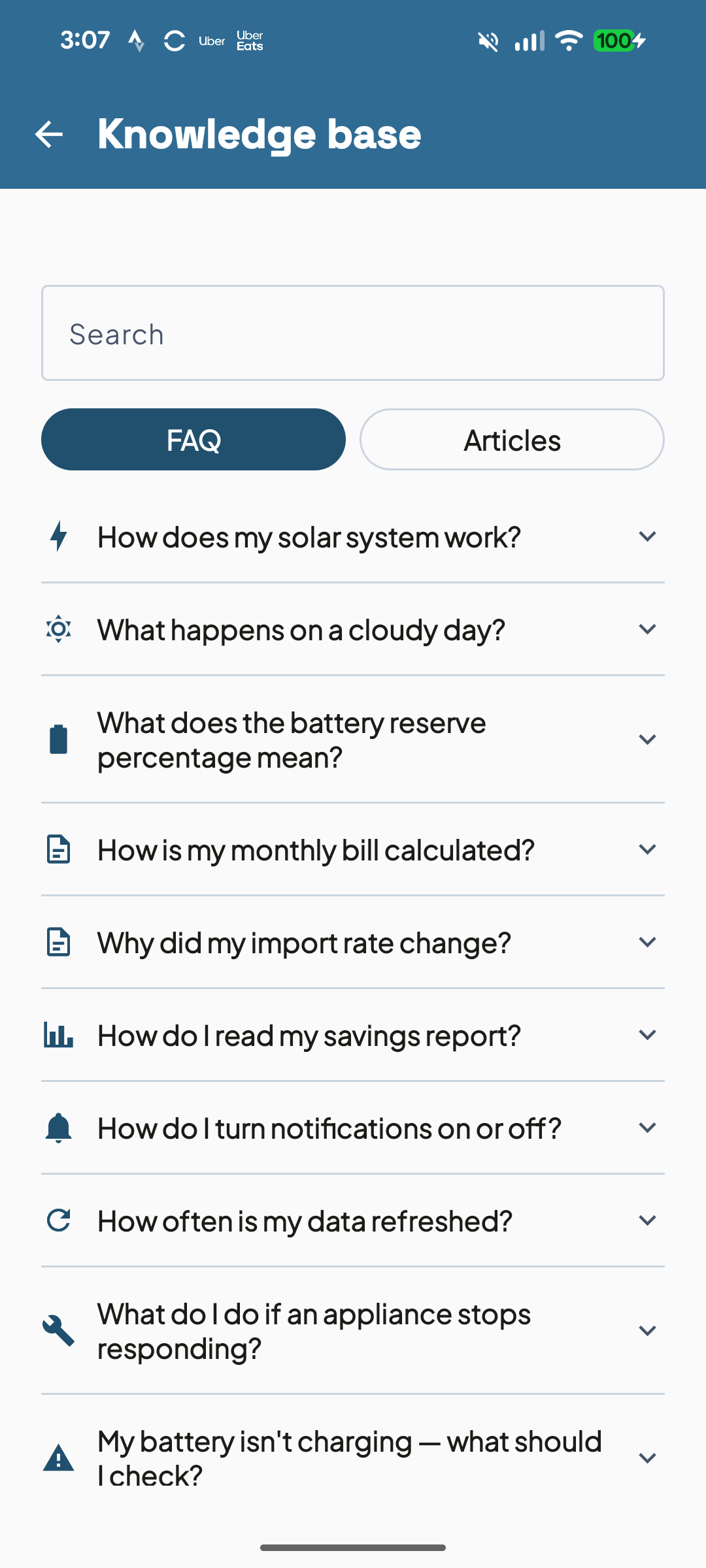
Answers before they call you
Short articles for the questions every installer answers twice a week.
Support tickets and billing, all in the same app.
See it on your own systems.
Your fleet, your numbers, no slides.